

What are Linked Accounts?
Linking accounts makes it easier to move between your characters without logging out and typing your password each time. Once your accounts are linked, you can switch between them directly from your account menu.
Use this if you have more than one character account and want a faster way to manage them.
How to Link Accounts
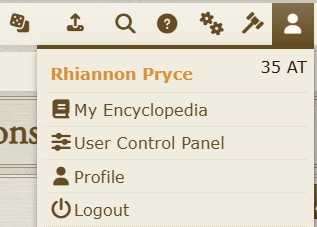
To link your accounts, navigate to the User Control Panel, which can be found under the person icon in the top menu.
Then, navigate to the "Linked Accounts" tab and click "Account Linking." From here, you will enter the username and password of the account you are linking to (the one you are currently not logged into), as well as the password of the account you are currently using.
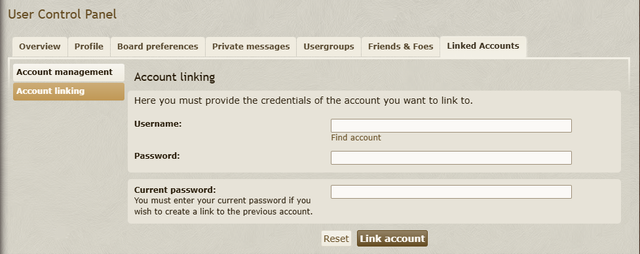
Repeat the process on your other account to seamlessly switch between your two accounts on any device!